Browser-based generator for parametric print-in-place hinges. Set the size, knuckles, clearance and screw holes, swing it around in 3D, and download an STL.
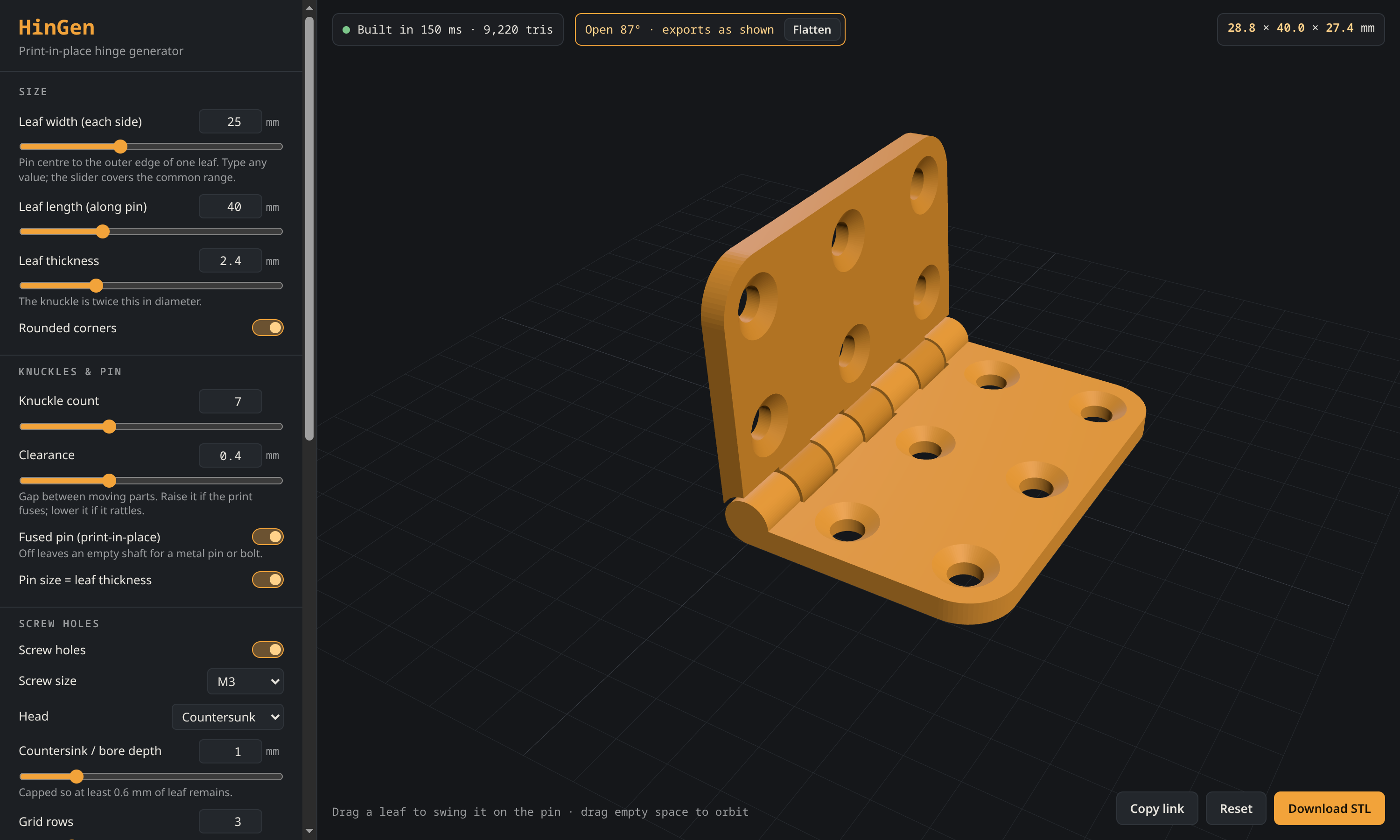
HinGen is a hinge generator that runs in the browser. Pick a leaf size, thickness, knuckle count and clearance, lay out the screw holes, and download an STL that prints in one piece with a working pin.
No backend, no uploads, no CAD install.
Why
I needed a small 20×20 hinge to test-fit some laser-cut panels and ended up with a pile of OpenSCAD tweaks. It made more sense to turn the pile into a tool: every change updates the model right away, and the geometry is easy to check before anything goes to the printer.
What It Does
- Leaf width, length and thickness, with sliders for the usual range and typed values for anything bigger
- Odd knuckle counts, adjustable clearance, and a fused print-in-place pin, or an empty shaft for a metal pin or bolt
- M2–M4 presets or custom screw sizes, with countersunk, counterbored or plain holes
- Hover a leaf in the 3D view and drag it to swing it on the pin; the STL exports in the pose shown, so you can bake in an angle for printing standing up
- Settings, including custom hole layouts, live in the URL, so a link reproduces a hinge exactly
Hole Layout
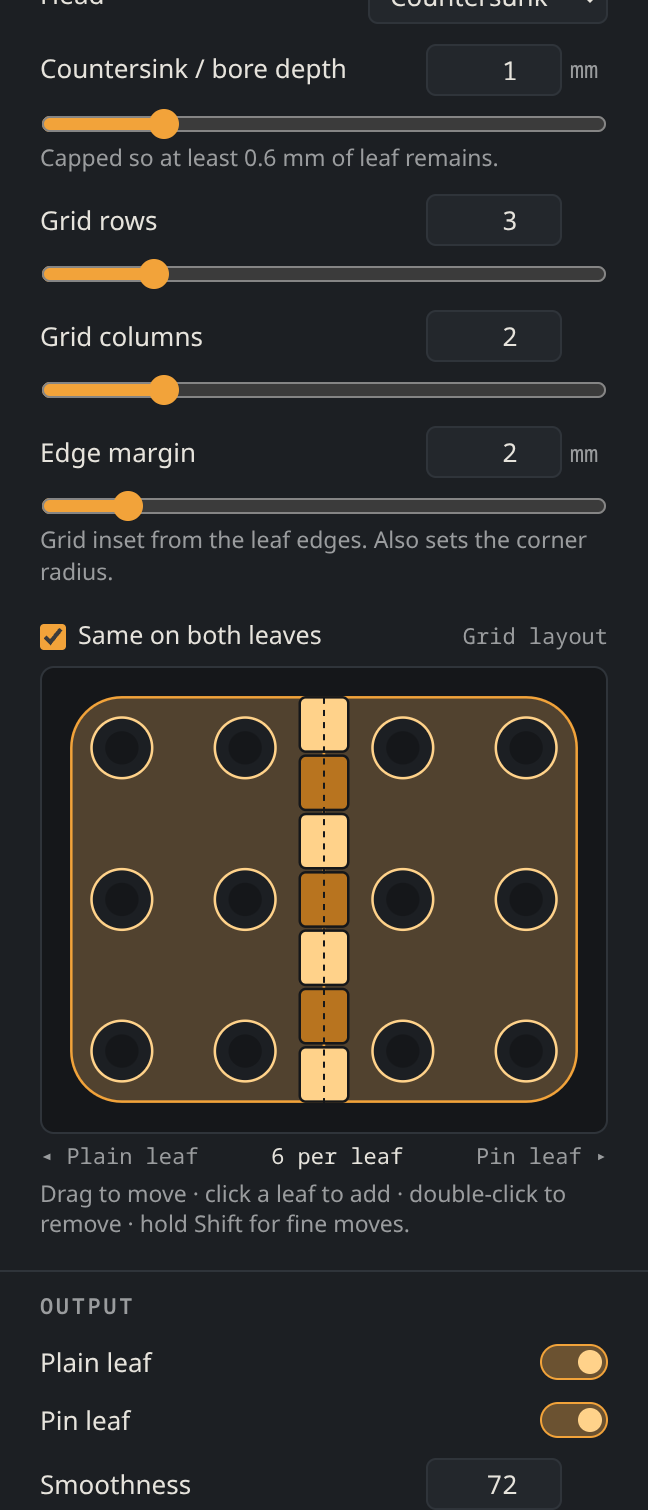
Rows, columns and edge margin set up a starting grid. From there the top-down editor lets you drag holes around, click a leaf to add one, and double-click to remove one.
Holes are kept on the leaf, clear of the knuckles, and inside the rounded corners, and overlapping holes turn red. Layouts mirror across both leaves by default, or each leaf can be laid out on its own.
How It Works
The first version ran OpenSCAD compiled to WebAssembly against Rohin Gosling’s excellent Parametric Butt Hinge. It worked, but every change meant a full OpenSCAD render, and it was hard to get per-leaf interaction out of a single script.
HinGen now builds the geometry itself with Manifold, the same boolean engine newer OpenSCAD builds use, running in a Web Worker. Each leaf is a plate plus its own knuckles. The plate is cut back to knuckle radius plus clearance around the other leaf’s knuckles, so the two leaves swing past each other. The pin is fused to one leaf and runs through bored knuckles on the other. Because the leaves come out as separate meshes, the viewer can pose them independently, and the export merges them in whatever pose is on screen.
Build Notes
Plain HTML, CSS and JavaScript with no build step: manifold-3d for geometry, three.js for the viewer, and an SVG hole editor. It’s a static site on GitHub Pages and works offline once loaded.